All work
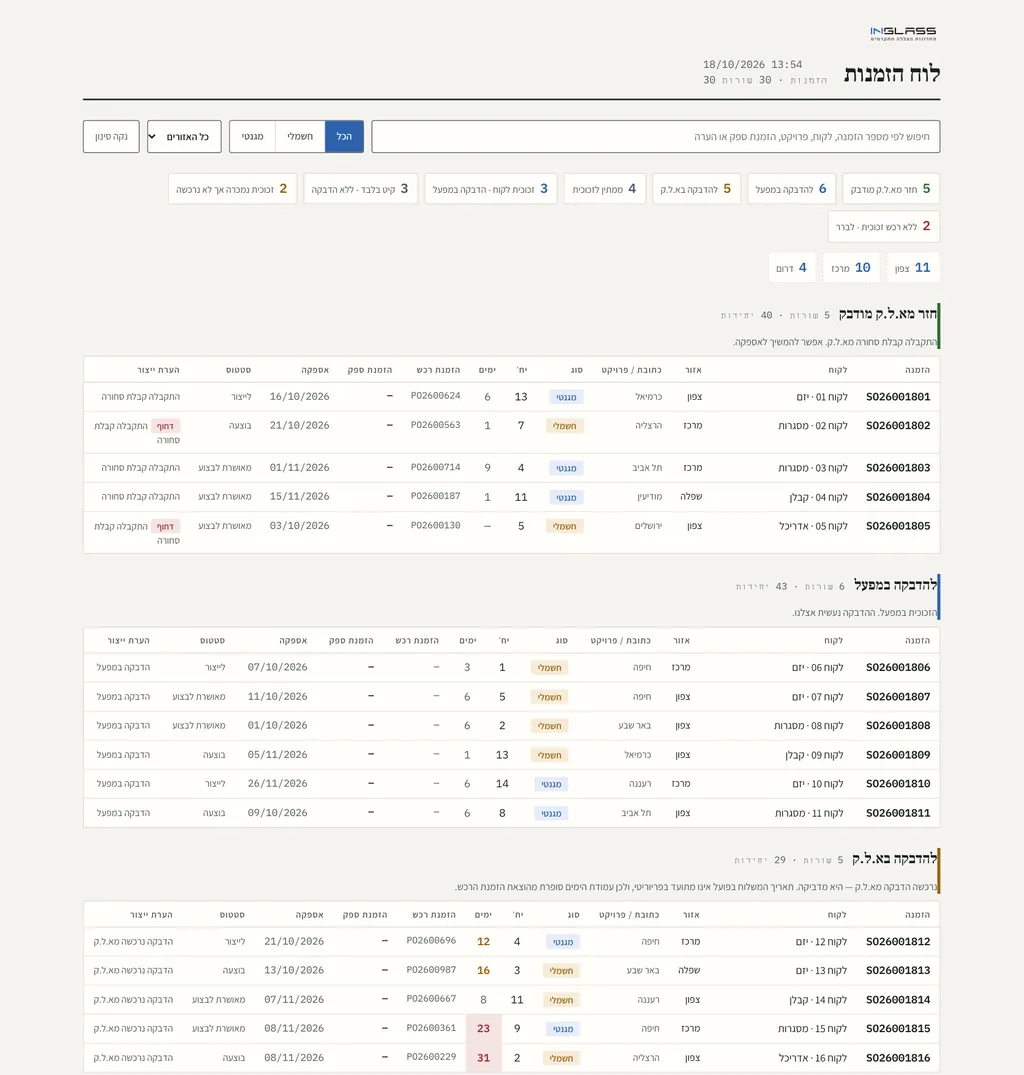
“What's ready to ship” board and live orders board
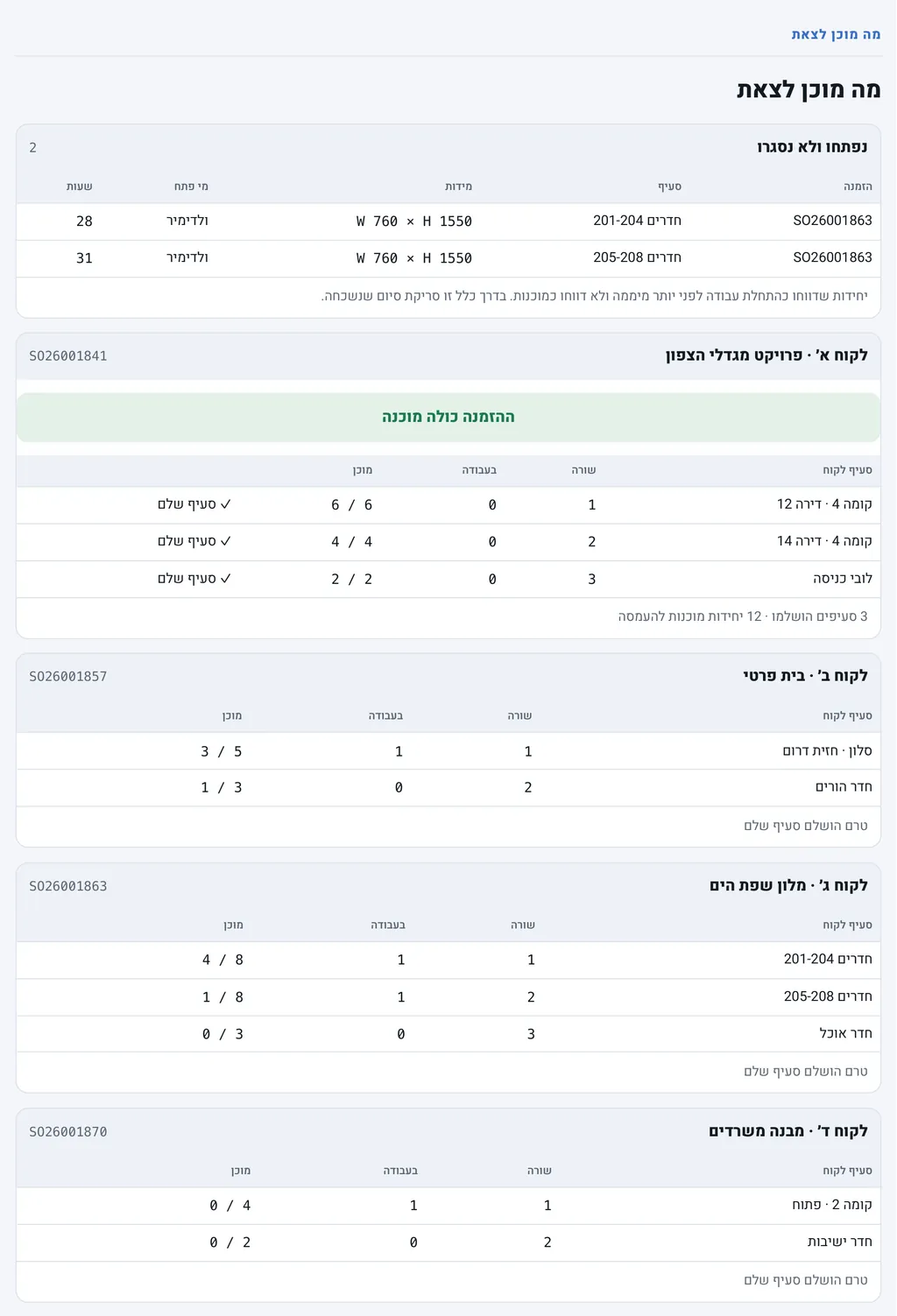
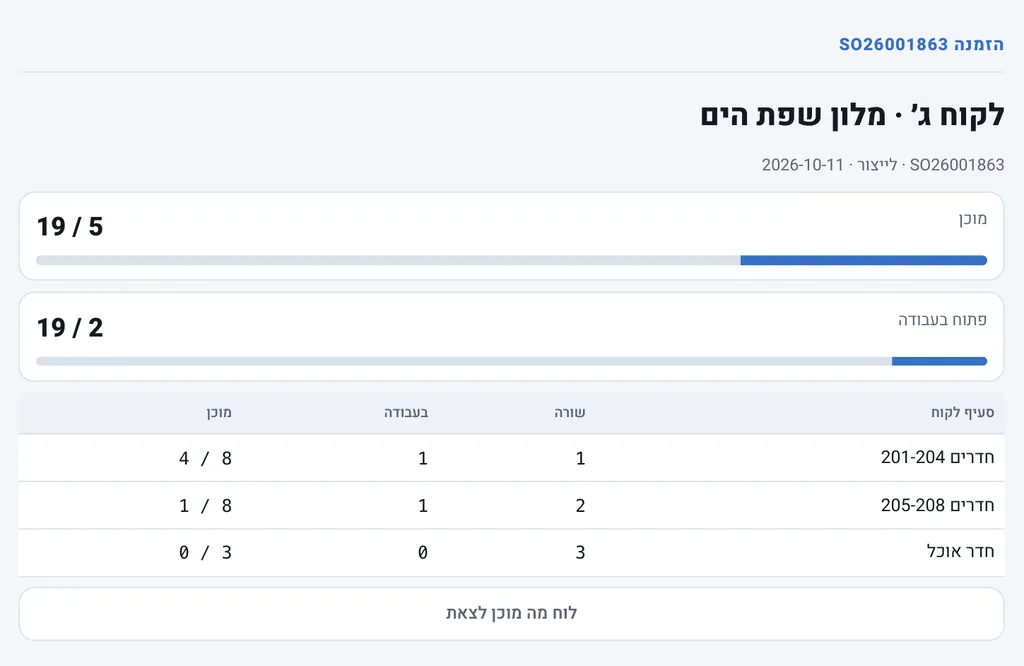
For every order and customer section: how many units are in progress and how many are ready, with exceptions flagged.
Glass and blinds manufacturing plant
- Before
- Knowing what can ship meant checking order after order by hand.
- After
- One board that shows what is ready to ship and what is stuck.
The problem
To know what could be loaded and shipped, every order had to be checked by hand. Units that were opened and forgotten did not stand out.
What I built
Two boards fed by the production reports. The “what's ready to ship” board shows, per order and per customer section, how many units are in progress and how many are ready, and flags units opened and not closed for too long. The orders board shows all open orders by production stage, with exceptions flagged.
How it works
- QR reports from the floor update the status of every unit.
- Units are grouped by order and customer section, such as a floor or a room, so you see when a whole section is ready.
- A unit left open for too long shows up in a separate list, with who opened it.
- The orders board splits open orders by stage and flags exceptions so they are handled first.
Want something similar in your business?
Tell me what takes up your time, and we will look at what a computer can take over.